
sbd.org.uk
sbd.org.ukNo. 05

This issue

Know your tenant

  • + Microsoft Graph API: Endpoints for Architects
  • + Conditional Access Policies That Actually Work
  • + M365 Tenant Health: Why It's Probably a Mess
  • + Intune Security Baselines vs CIS Benchmarks
  • + M365 Solution Architect: What the Role Does
sbd.org.uk · No. 05

Microsoft 365

Microsoft Graph API: Endpoints for Architects

Production-ready PowerShell scripts for M365 tenant assessment via Graph API: discovery, identity auditing, security posture, governance, licensing.

By Paul Bentley · 9 min read

Every Microsoft 365 engagement I've worked starts with the same five questions:

QuestionCategory
What do we have?Discovery
Who can access what?Identity and access
Is it secure?Security posture
Is it compliant?Governance
What's it costing us?Licensing and usage

The admin portals will give you partial answers to each of these, spread across half a dozen consoles, none of which talk to each other properly. You'll click through Entra, Intune, Defender, Purview, and the M365 Admin Centre, copying data into spreadsheets, trying to build a picture that should have taken twenty minutes but takes the better part of a day.

Graph API answers all five questions from a single interface. Developers use it to build integrations; architects use it to extract insight.

This post maps the Graph endpoints that matter for each of those five questions, with working PowerShell that produces deliverables you can hand to a client, a security team, or a board. Every script is concise for readability. The companion repository has production-ready versions with proper parameterisation and error handling.

All scripts use the Microsoft Graph PowerShell SDK v2.x and need PowerShell 7 or later. On Windows PowerShell 5.1 the SDK still works, but some syntax in these examples, notably the ?? operator, doesn't.

Authentication setup

Set up authentication before mapping those endpoints. You need an Entra ID app registration with certificate-based auth. The minimum viable connection:

# App-only auth (certificate) - preferred for automation
Connect-MgGraph -ClientId $appId -TenantId $tenantId -CertificateThumbprint $thumbprint
 
# Or interactive auth for ad-hoc work (delegated)
Connect-MgGraph -Scopes "User.Read.All","Group.Read.All","Device.Read.All",
    "DeviceManagementManagedDevices.Read.All","DeviceManagementApps.Read.All",
    "Policy.Read.All","RoleManagement.Read.Directory","Application.Read.All",
    "Directory.Read.All","SecurityEvents.Read.All","SecurityAlert.Read.All",
    "AccessReview.Read.All","Reports.Read.All","AuditLog.Read.All",
    "LicenseAssignment.Read.All"

The scopes above cover everything in this post. Grant most of these as application permissions for app-only auth; they're all read-only, so nothing you grant here changes the tenant. One exception: LicenseAssignment.Read.All has no application form, so the licence detail call in the licensing section needs a delegated, signed-in session rather than the certificate or secret behind every other call in this post.

Continue reading →
3
sbd.org.uk · No. 05

Microsoft 365

Conditional Access Policies That Actually Work

A baseline Conditional Access policy set built from 20 deployments: common mistakes, circular dependencies, and the patterns that survive production.

By Paul Bentley · 15 min read

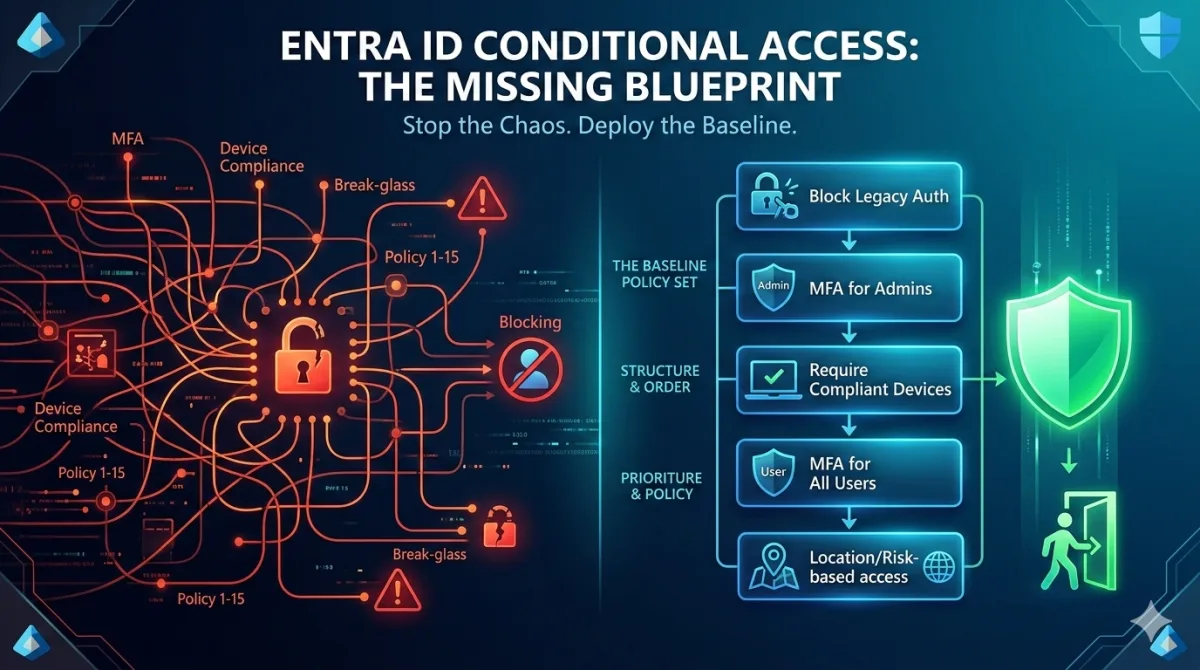
Conditional Access is the most powerful and most misconfigured feature in Entra ID. Every Microsoft 365 tenant I've assessed has had at least one policy that was either doing nothing, actively blocking legitimate users, or creating a false sense of security by protecting the wrong things in the wrong order.

The documentation is fine. Microsoft's tutorials walk you through creating individual policies, one at a time, with screenshots. What they don't tell you is how those policies interact when you have fifteen of them, what happens when you combine device compliance with MFA registration requirements, or why your break-glass accounts stopped working at 2am on a Sunday.

This post is the baseline policy set I deploy to every new tenant and retrofit into existing ones. It's built from the mistakes I've seen and made, across many deployments. Not every policy will apply to every organisation, but the architecture and the ordering will save you from the problems that catch everyone else.

Continue reading →
12
sbd.org.uk · No. 05

Microsoft 365

M365 Tenant Health: Why It's Probably a Mess

Microsoft 365 tenant health audit checklist: detect orphaned groups, expired app secrets, CA policy sprawl, and SharePoint chaos with Graph API scripts.

By Paul Bentley · 11 min read

Every Microsoft 365 tenant I inherit has the same problems. The symptoms vary in severity, but the pattern is remarkably consistent: groups that nobody owns, SharePoint sites that nobody maintains, app registrations with secrets that expired six months ago, and a Conditional Access policy set that reads like geological strata from successive security audits.

These are not skills failures. The people who built and maintained these tenants were perfectly competent. The problem is that M365 tenants drift towards chaos by default. Every time someone creates a Teams channel, spins up a SharePoint site, or registers an application, the tenant gets a little messier, and without deliberate, automated governance, nothing reverses that drift.

This post is a tenant health assessment checklist. For each anti-pattern, I will show you how to detect it with Graph API, give you a sense of scale so you know whether your numbers are normal, and explain what to do about it. If you are looking for the broader case for standardisation and repeatable baselines, the Standardisation post covers that ground. This post is the diagnostic that tells you where to start.

Prerequisites: all scripts use the Microsoft Graph PowerShell SDK v2.x and require PowerShell 7+. Connect with the scopes you need before running each section. The snippets below are kept concise for readability; for production-ready Graph API patterns with proper error handling and parameterisation, see Microsoft Graph API for Architects.

Continue reading →
25
sbd.org.uk · No. 05

Microsoft 365

Intune Security Baselines vs CIS Benchmarks

Compare Intune security baselines against CIS benchmarks with a PowerShell export-and-diff workflow: ASR deployment and deviation tracking included.

By Paul Bentley · 19 min read

If you'd rather do this interactively than in PowerShell, BaselineForge is the companion tool for this post: load your Intune configuration, compare it against Microsoft's baseline, NCSC guidance and our curated recommendations, then export deployable Intune policies. Everything runs in your browser, and your security configuration never leaves your machine.

Microsoft's Intune security baselines are one of those features that sound like the answer to a question nobody asked properly. "We need to secure our endpoints." "Great, deploy the baseline." Three months later, you're troubleshooting why a line-of-business application crashes on launch, a printer driver refuses to install, and a team of developers can't run unsigned scripts. Nobody can explain which settings caused which problems, because nobody reviewed what the baseline actually contains before deploying it.

The alternative is to understand what baselines are and aren't, then decide deliberately whether to adopt one wholesale, cherry-pick settings from it, or build your own from a framework like CIS. Document that decision, whichever way it goes.

This post provides the methodology for a structured security baseline comparison. We'll export Microsoft's baselines, compare them against CIS benchmarks, identify the deviations that matter, and build a decision framework your team can apply consistently. If you're already running a Configuration as Code practice, these profiles slot directly into your pipeline. If you're not, the standardisation post covers why you should be.

Continue reading →
35
sbd.org.uk · No. 05

Microsoft 365

M365 Solution Architect: What the Role Does

What an M365 Solution Architect actually does: standards ownership, security architecture, licensing strategy, and delivery oversight. Beyond diagrams.

By Paul Bentley · 13 min read

The diagram factory problem

"Can you draw us an architecture?"

That is the moment I know an engagement has gone wrong. Not "Can you help us design a solution?" or "Can you figure out how we should approach this?" Just draw us an architecture. As if the value of a Microsoft 365 Solution Architect (SA) is measured in Visio files per sprint. The role should work differently. M365 is broad, deeply interconnected and constantly changing, so designing for it cannot end when the HLD is signed off: it has to run as an ongoing discipline spanning governance, standards, delivery and operational oversight.

But that is not what most organisations buy. They buy a documentation function. You get brought in, you attend workshops, you ask questions, you disappear for two weeks, and you return with a beautifully formatted High-Level Design that covers network topology, identity flows, data residency, and integration patterns. Everyone nods, the document gets filed in SharePoint, and nobody reads it again.

Worse, the HLD is often the only design artefact produced. Engineers must interpret the architect's intent themselves and create their own Low-Level Designs, filling in the gaps with assumptions. By the time the LLD reaches implementation, the original design intent has drifted.

Six months later, when the implementation looks nothing like the design, people wonder what went wrong. What went wrong is that the organisation paid for a diagram and got exactly that.


Continue reading →
51

Get the next one by email

Long, specific write-ups on M365 architecture and security, worked out against real tenants rather than summarised from documentation. Sent rarely, and only when it is worth your time.