

Windows Estate Standardisation: The Foundation
How to build a repeatable, auditable Windows estate using Intune, Autopilot, and GitOps: the foundation for Zero Trust and Copilot-ready endpoints.
Copilot and AI workloads demand consistent, well-managed devices. Under Zero Trust, every device now has to prove its health before it can reach a resource. Remote and hybrid work patterns have obliterated the traditional network perimeter. In this environment, a fragmented, inconsistent Windows estate is inefficient and, increasingly, a liability.
Standardisation is the antidote. It's the practice of aligning your devices, configurations, and deployment processes to a defined, repeatable baseline. Executed properly, it turns endpoint management from reactive firefighting into predictable, auditable operations. Neglecting it, or doing it half-heartedly, leaves you exposed to configuration drift, security gaps, and an endless stream of "works on my machine" incidents.
This post focuses on Windows, but the principles apply equally to macOS, iOS, and Android. The tooling varies from platform to platform, though the underlying philosophy stays the same.
The business case for standardisation
How much each benefit is worth depends on your starting point and organisational context. Consolidation is where the cost reduction comes from. Fewer hardware SKUs simplify procurement and spares management. Rationalising your application portfolio also cuts licensing spend and support overhead. Consistent configurations mean support engineers diagnose issues faster, because they aren't constantly context-switching between bespoke builds.
Push the same hardened baseline to every device, and your security posture improves. You can't enforce what you haven't defined, and you can't audit what isn't consistent. Standardisation is a prerequisite for meaningful compliance, whether that's Cyber Essentials, ISO 27001, or your cyber insurer's requirements.
Operational efficiency comes from automation. Automated deployments replace manual builds. Drift detection replaces periodic audits. Your team spends less time on repetitive tasks and more time on work that actually moves the organisation forward.
The least obvious benefit is probably business agility, and it may be the most valuable one. When you can provision a fully configured device in under an hour via Autopilot, onboarding new starters becomes trivial. When your application deployment pipeline is proven and repeatable, rolling out new tools to support a business initiative stops being a six-week project.
Few people argue with any of this. The hard part is achieving standardisation and keeping it in practice.
The modern standardisation stack
If you're running a Windows estate in 2026 and not using Microsoft's cloud-native management stack, you're making life unnecessarily difficult. The tooling has matured, and the integration between components creates compound benefits that third-party alternatives struggle to match.
Microsoft Entra join, formerly Azure AD Join, should be your default for new devices. Hybrid join still has its place for estates with heavy on-premises dependencies, but cloud-native identity simplifies conditional access, removes domain controller dependencies for remote workers, and aligns with Zero Trust principles. Every device authenticates independently, with no VPN required to prove identity.
Windows Autopilot handles provisioning. Ship devices directly from your vendor to end users, and Autopilot turns a factory image into your corporate build on first boot, with no imaging infrastructure to maintain and no technician touch required. The device registers itself, pulls its configuration from Intune, installs applications, and lands on the user's desk ready to work. If you buy new hardware today, you have two current Autopilot flows to choose from. One is the classic profile described above. The other is Windows Autopilot device preparation, a newer flow that supports Microsoft Entra join only and needs Windows 11 24H2, or 22H2 and 23H2 with update KB5035942 or later.
Microsoft Intune is your control plane. Policies, compliance baselines, application deployments and update management all flow through Intune. The shift from Group Policy to Intune is bigger than cloud versus on-premises. It moves you from imperative configuration ("apply these 47 registry keys") to declarative configuration ("this device should have BitLocker enabled with these recovery key escrow settings"). You define the desired state, and Intune enforces it.
Windows Autopatch takes update management largely off your plate. Microsoft manages the deployment rings, monitors for issues, and pauses rollouts automatically if problems emerge. You still define which devices are in scope and can override when necessary, but you draw on Microsoft's telemetry from millions of devices instead of discovering issues in your own estate first.
For organisations that prefer more control over update rings, manual configuration via Windows Update for Business policies in Intune remains entirely valid. I typically recommend five rings at most: Horizon (IT pros and volunteer early adopters), Pilot 1 (broader IT and key stakeholders), Pilot 2 (representatives from all business functions), Broad (general population), and Critical (kiosk devices, automation endpoints, anything where unplanned reboots cause business impact). Executives always go in Broad, never earlier, regardless of how loudly they protest. They're not special, and putting them in early rings just means their issues get prioritised over everyone else's.
Executives go in Broad, never earlier.
Configuration as code and GitOps
Standardisation pays off most when you treat your device configuration the same way you'd treat infrastructure or application code.
Microsoft365DSC is the enabler. It's a PowerShell module that exports your entire Microsoft 365 and Intune configuration to structured files, compares environments, detects drift, and applies configurations declaratively. Think of it as Terraform for the Microsoft cloud management stack.
The workflow looks like this: export your current Intune configuration to DSC format, commit it to a Git repository, and establish that repository as your source of truth. Changes go through pull requests with peer review. A CI/CD pipeline validates syntax and compliance before merging. On merge, the pipeline applies the configuration to your tenant. Drift detection runs on a schedule and alerts (or auto-remediates) when reality diverges from the declared state.
This approach delivers several benefits that manual console-clicking never will:
- Every change is logged in Git with who, when and why, so there's no archaeology through Intune audit logs trying to work out which policy change broke something.
- Spinning up a test tenant with identical configuration becomes trivial, and disaster recovery for your management plane is a
git cloneand a pipeline run away. - Your team works on configuration changes in parallel without treading on each other's work, because conflicts surface at merge time, not in production.
- If something breaks, you revert the commit and rerun the pipeline, which makes configuration changes as reversible as code deployments.
If you're still making changes directly in the Intune console, you're accepting unnecessary risk and friction.
Application deployment: Win32 and MSIX
Application packaging is often the bottleneck in standardisation projects. You can have perfect policies and pristine update rings, but if you deploy applications inconsistently or rely on legacy installation methods, you'll never achieve true standardisation.
Intune supports two primary deployment mechanisms for Windows applications, and understanding when to use each is essential.
Win32 app deployment (via .intunewin packages) is pragmatic and flexible. Take your existing MSI or EXE installers, wrap them with the Intune Content Prep Tool, define detection rules, and deploy. For most organisations, this covers 80 to 90% of applications with minimal packaging effort. It works at scale and does not require specialist packaging skills.
MSIX is the more sophisticated option, and it is the better choice in specific scenarios. MSIX packages are containerised. Applications run in an isolated environment with virtualised registry and filesystem access. This delivers cleaner installs, reliable uninstalls, and better security isolation. More importantly for modern estates, MSIX packages are portable. The same package deploys to physical devices, Windows 365 Cloud PCs, and Azure Virtual Desktop session hosts. If you're operating across multiple Windows platforms, MSIX eliminates the "build once, package three times" problem.
App Attach takes this further for AVD environments, mounting applications dynamically to session hosts without local installation. Originally built for MSIX, App Attach now also supports Appx and App-V packages. This changes non-persistent VDI. Users get their applications on demand without bloating golden images.
The trade-off is packaging complexity. Converting legacy applications to MSIX requires effort, and not every application converts cleanly. I recommend starting with Win32 deployment for pragmatic coverage, then progressively migrating high-value applications to MSIX: anything deployed across physical and virtual estates, anything with a troublesome installation footprint, or anything where security isolation is especially important.
A standardised estate built on Win32 packages beats a fragmented estate still waiting for a complete MSIX repackaging project that never finishes.
The challenges are real
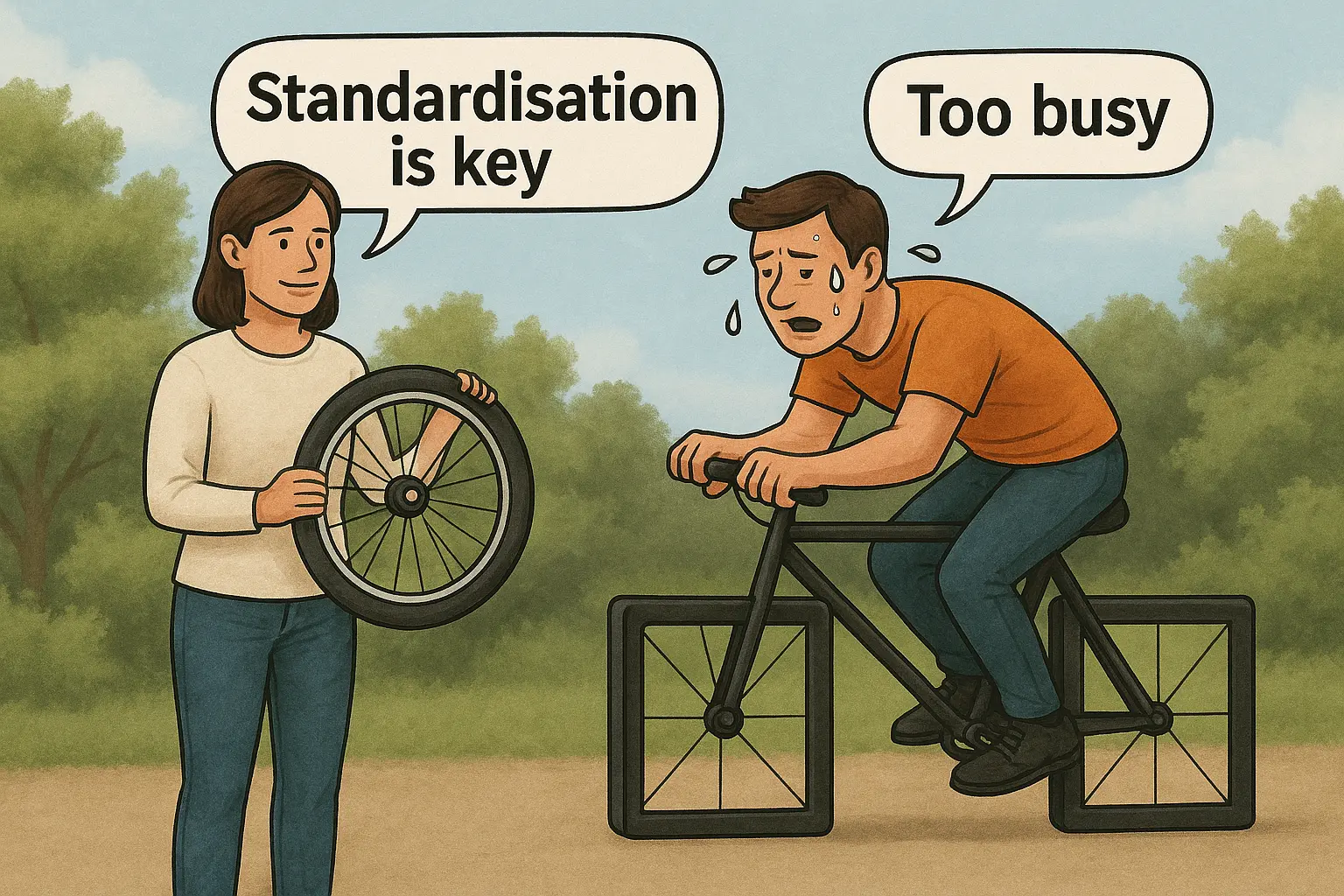
People resist change. People are attached to their workflows, their preferred applications and their local admin rights. Some resistance is legitimate (a developer's workflow genuinely differs from a finance analyst's), but much of it is simply inertia. Clear communication about why standardisation matters, genuine engagement with edge cases, and executive sponsorship that doesn't waver at the first complaint are essential.
Years of shortcuts and quick fixes leave behind technical debt. You'll discover applications that nobody owns, dependencies that nobody documented, and configurations that exist for reasons lost to time. Budget time for archaeology and accept that some mysteries will never be solved; you'll need to make pragmatic decisions with incomplete information.
The long tail of applications is where disproportionate effort tends to go. Twenty applications might cover 95% of users, but the remaining 200 niche tools (each with three users who insist they're critical) will dominate your packaging queue if you let them. Prioritise ruthlessly. Some applications don't justify the effort and can remain exceptions, documented and risk-accepted.
Most teams face some kind of skill gap. Many IT teams grew up with on-premises tools: SCCM, Group Policy, manual imaging. The cloud-native stack requires different skills: Graph API, PowerShell DSC, declarative policy thinking, CI/CD pipelines. Invest in training early, or accept that velocity will be slower than planned while the team learns.
Where to start
If this feels overwhelming, start small and iterate.
First, establish your baseline. Document what "standard" means for your organisation: hardware specifications, OS version, core applications, security configurations. It needs to be written down and agreed, not perfect.
Second, pick a beachhead. New devices are easier than migrations. Get Autopilot working for your next hardware refresh, even if existing devices remain on legacy management temporarily.
Third, implement one policy properly. Take a single Intune configuration profile, export it via Microsoft365DSC, commit it to Git, and set up a basic pipeline. You'll learn more from doing this once than from reading documentation for months.
Fourth, measure and iterate. Use Intune reporting and Endpoint Analytics to understand your current state, track progress toward standardisation, and identify the next area to tackle.
Standardisation is an operating model, not a project with an end date. The goal is continuous alignment between your defined standard and reality, with automation doing the heavy lifting and humans handling the exceptions.
If you've been through a standardisation project, successful or otherwise, I'd be interested to hear what worked and what didn't. The theory is straightforward. The real learning happens in the war stories.
Get the next one by email
Long, specific write-ups on M365 architecture and security, worked out against real tenants rather than summarised from documentation. Sent rarely, and only when it is worth your time.