
Intune Endpoint Management: AI, APIs, Copilot
How AI changes Intune endpoint management: Copilot agents, API-driven policy configuration, and intelligent drift detection instead of manual clicks.
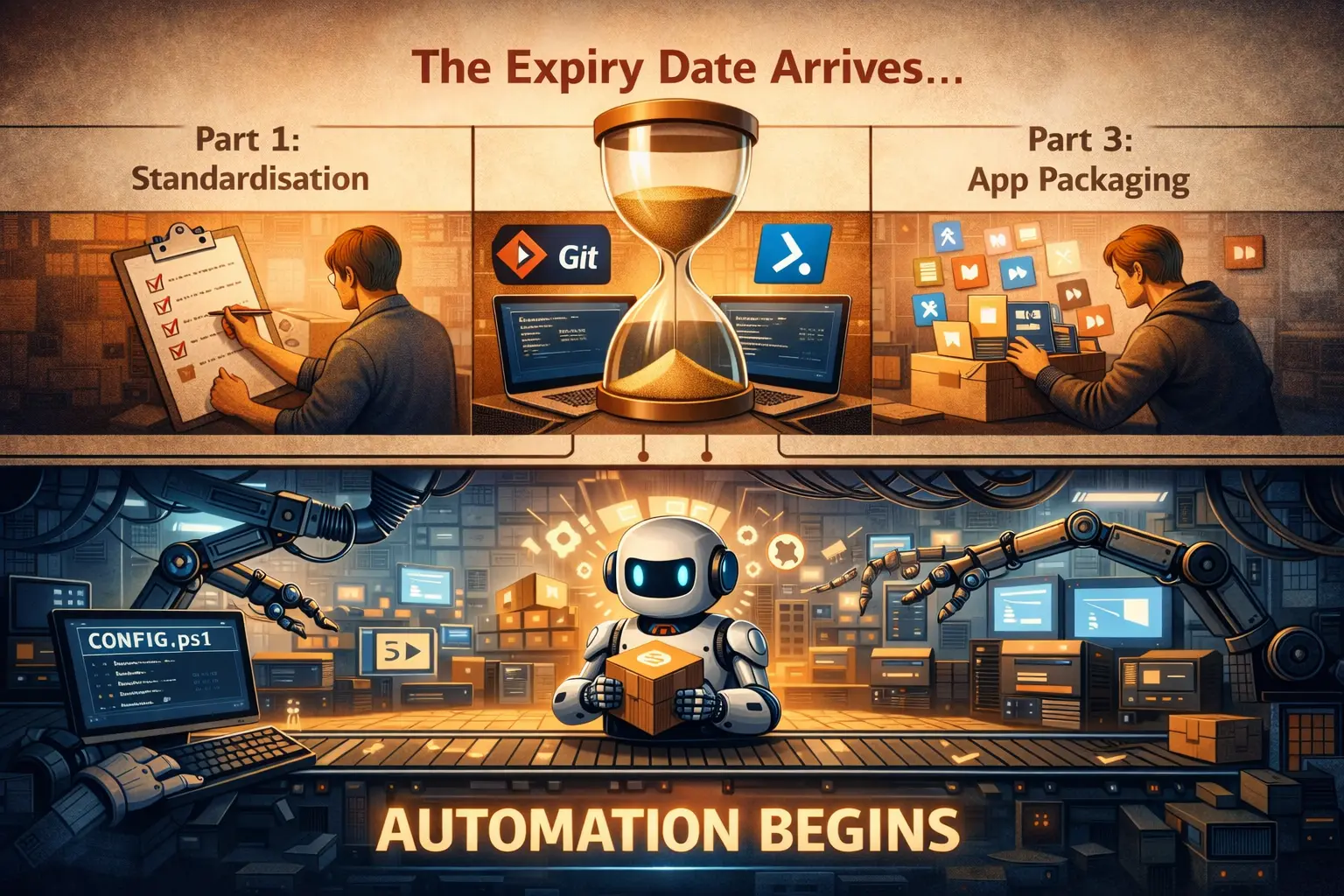
In Part 1, we made the case for standardisation. Part 2 codified endpoint configuration, treating Intune policies like source code, with Git, pull requests, and pipelines, and Part 3 tackled application packaging and lifecycle management.
Every process described in those posts (writing DSC configurations, building MSIX packages, managing deployment rings, reviewing pull requests) assumed a human doing the work: a skilled, disciplined human following frameworks and checklists.
Part 2 ended with a hint: "everything above assumes you're the one writing the code and making the commits. That assumption has an expiry date."
This is the post where the expiry date arrives.
What this isn't
This is not a breathless "AI will replace your IT team" piece. If you've been in this industry long enough, you've survived at least three cycles of "this technology will change everything," and the reality was always more nuanced than the marketing.
AI in endpoint management is real, it's accelerating, and it's changing how teams operate. The change is in what your team does, not whether you need one. Teams that understand this distinction will thrive; teams chasing full automation without governance will learn expensive lessons.
Device management APIs versus manual configuration
Manual endpoint configuration through the Intune console is a liability at scale. Every console click is an undocumented change, every policy update depends on someone remembering it, and every drift incident is triaged by hand when that triage could be automated.
Device management APIs (Microsoft Graph, PowerShell DSC) combined with AI change the economics fundamentally:
| Manual configuration tools | API-driven automation and AI |
|---|---|
| Click through Intune console | Define policy intent in natural language |
| No audit trail of why changes were made | Git commit history with full rationale |
| Human bottleneck for every configuration change | AI generates validated configuration from requirements |
| Reactive drift detection via manual portal checks | Proactive remediation with intelligent classification |
| Scales linearly with team size | Scales logarithmically with infrastructure size |
| Console skills become obsolete when UI changes | API skills transfer across Microsoft cloud services |
The Graph API for Intune provides programmatic access to every part of the configuration: compliance policies, configuration profiles, application deployments, update rings. What previously required fifteen minutes of console navigation becomes a single API call. What required a human remembering edge cases becomes automated validation in a CI/CD pipeline.
This changes more than the tooling. Manual configuration tools assume humans are cheap, available, and consistent. APIs assume humans are expensive, fallible, and better used for strategic decisions than repetitive clicking. AI closes that gap, putting API-driven automation within reach of teams without a software development background.
This is the foundation for everything that follows: configuration as code, drift detection, agentic remediation. If you're still managing Intune exclusively through the console, the constraint is your operating model rather than a missing feature, and it won't scale as your estate grows.
What's already here: Copilot in Intune
Microsoft shipped Copilot in Intune, built on Microsoft Security Copilot, through 2024 and 2025.
What it does well
Natural language queries against your tenant are useful. Ask "Which devices are non-compliant with our BitLocker policy?" and you get an answer in seconds, instead of navigating three levels of portal UI and correlating the filter results yourself. Policy summarisation, asking Copilot to explain what a configuration profile does in plain English, turns the seventeen "Standard Device Configuration" profiles from Part 2's nightmare scenario into something a new team member can actually understand.
Device troubleshooting with contextual awareness is where Copilot earns its keep for day-to-day operations. Instead of bouncing between Intune, Entra, and Event Viewer to correlate why a device failed a compliance check, you can ask and get a consolidated answer with context.
What it doesn't do
Copilot in Intune is an assistant, not an operator: it answers questions rather than making changes. It can tell you what a policy does or which devices are non-compliant, but it cannot write the policy or remediate the device. It is a read-only intelligence layer bolted onto your existing management plane.
That limit hasn't always held. Microsoft briefly shipped a Policy Configuration Agent that drafted settings catalogue policies from plain-language documents for an admin to review, and a Change Review Agent that recommended approve-or-deny decisions on Multi Admin Approval requests, both still gated on a human approving the result. Microsoft withdrew both on 31 August 2026, three months after withdrawing a Device Offboarding Agent it had added the same way. Only a Vulnerability Remediation Agent survives, in public preview, and it hands you remediation steps rather than carrying them out.
This is useful for reducing the cognitive load on your team, and it is the starting point rather than the destination.
Configuration as code, written by AI
Let's pick up exactly where Part 2 left off. The Configuration as Code workflow was:
- Export configuration
- Commit to Git
- Branch and pull request
- Peer review
- CI/CD validates
- Merge and deploy to tenant
- Drift detection loops back
That workflow assumed you were doing steps 1 through 4. AI changes who does what.
Generating configuration from intent
Instead of writing PowerShell DSC or hand-crafting Intune policy JSON, you describe what you want:
"Enforce BitLocker with XTS-AES-256 on all OS drives. Escrow recovery keys to Entra ID. Allow TPM-only unlock for standard users; require TPM + PIN for devices in the Executive Devices group. Exempt the Kiosk Devices group entirely."
An AI agent generates the Microsoft365DSC configuration or Graph API payload, creates a branch, and opens a pull request with the changes and a summary of what it generated and why.
This is not speculative: AI coding assistants already work this way for software development. The endpoint management domain is smaller and more constrained than general-purpose programming, which makes it easier for AI to handle, and the range of policies Intune covers, while large, is finite, well documented, and highly structured, ideal conditions for AI-generated configuration.
The "we're not developers" objection from Part 2 dissolves here. Your team doesn't need to learn PowerShell DSC or Graph API syntax. They need to say what the policy should be, which is the skill they already have. The AI handles the translation from intent to implementation.
AI-assisted review
In Part 2, we argued that pull request review was essential, a second pair of eyes catching mistakes before they hit production. AI makes that second pair of eyes far more capable.
An AI reviewer can check a configuration PR against:
- Your established baseline: "This change removes a setting that's been in place since the initial deployment. Was this intentional?"
- Security benchmarks: "This BitLocker configuration doesn't meet CIS Level 1 requirements because it allows USB key protectors. The current baseline uses TPM-only, which is more restrictive."
- Known conflicts: "This new Wi-Fi profile uses the same SSID as an existing profile assigned to a different group. This will cause deployment conflicts on devices in both groups."
- Blast radius: "This compliance policy change will affect 2,847 devices. 312 are currently non-compliant and will be blocked from Exchange access within 24 hours of deployment."
AI can hold your entire policy estate in working memory in a way no human reviewer can. The human reviewer still makes the final call, but with far better information behind it.
Intelligent drift remediation
Part 2 introduced drift detection as a binary operation: drift detected, alert sent, human investigates. AI adds a layer of judgement.
Not all drift is equal. A display name change on a configuration profile is cosmetic. A disabled conditional access policy is a security incident. Today, both generate the same alert and the same human triage. With AI, the response can be proportional:
- Cosmetic drift, such as naming, descriptions, or non-functional metadata: auto-remediate silently, and log it for audit.
- Operational drift, such as deployment assignments, ring memberships, or non-security settings: auto-remediate, and notify the team.
- Security-critical drift, such as compliance policies, conditional access, or encryption settings: block remediation and escalate with full context: what changed, when, by whom, and what the impact assessment is.
The human still defines the classification rules. The AI applies them consistently, at a speed and scale that manual triage can't match.
Application packaging, automated
Part 3's decision framework is exactly the kind of structured, repeatable decision that AI handles well: kernel access means Win32, a low-risk evergreen app means the Store, and everything else defaults to MSIX.
Format selection at scale
Feed an AI agent a vendor installer, the application's documentation, and your organisation's packaging standards, and it works out whether the application modifies system-level components, registers shell extensions or COM objects, needs a kernel-mode driver, or installs services.
Based on the answers, it selects the packaging format, documents the rationale, and flags edge cases for human review. The decision tree from Part 3 stops being a document your team consults and becomes logic the AI applies consistently to every intake request.
MSIX conversion
The learning curve objection to MSIX from Part 3 ("our team doesn't know how to create MSIX packages") starts to lose its force. AI-assisted packaging tools analyse an installer, determine the correct capabilities declarations, handle the conversion, and produce a signed package.
Not every application will convert cleanly. Complex installers with custom actions, kernel drivers, or COM interop will still need human expertise. The 60 to 70% of straightforward applications currently packaged as Win32 purely out of inertia are candidates for automated MSIX conversion today.
The economics shift from "MSIX conversion is too expensive for most apps" to "MSIX is the default and Win32 needs justification," exactly the hierarchy Part 3 argued for, but achievable without a team of specialist packagers.
Detection rule generation
One of the most tedious parts of Win32 packaging is writing detection rules: registry key checks, file version comparisons, custom scripts. It's pattern work, and AI is well suited to pattern work.
An AI agent analyses the installer, works out what it installs and where, generates detection rules, validates them against a test installation, and flags anything ambiguous. That removes the hours your team currently spends writing and debugging detection rules by hand.
The catalogue problem, and how to solve it
For the full implementation with PowerShell scripts and Power Automate flows, see Self-Maintaining Intune App Catalogue with AI.
Part 3 argued that an application catalogue is a prerequisite for everything else: you can't plan a Win32-to-MSIX migration if you don't know what you have. In practice, this is where most organisations stall. The catalogue starts as a spreadsheet, someone maintains it enthusiastically for a month, and then it quietly rots as reality diverges from the documentation.
The building blocks to fix this already exist. They just need wiring together.
Intune's Graph API exposes two datasets: managed apps, what you're intentionally deploying, and discovered apps (deviceManagement/detectedApps), what's actually installed across your estate. The gap between these two lists is your problem space. A scheduled Power Automate flow pulls both datasets, and an AI classification step correlates them, matching discovered apps to catalogue entries by name, publisher, and version, then flags what doesn't match.
ACTIONABLE OUTPUTS
The AI layer turns raw data into action. It identifies orphaned software installed but not managed by Intune, flags applications with no ownership assignment, detects end-of-life versions by cross-referencing vendor lifecycle data, and, for the MSIX conversation, generates a migration shortlist by finding Win32 packages with no custom install logic, no kernel dependencies, and no COM registration. Those are your low-hanging fruit for MSIX conversion.
No off-the-shelf product does this. It takes a few days of Power Automate, AI, and SharePoint work, not months, and it turns the catalogue from a chore someone grudgingly updates every quarter into a living asset that surfaces the exact list, for example "these 47 apps are straightforward MSIX candidates," that makes the business case for migration tangible.
Deployment intelligence
Ring progression
Today, promoting an application from pilot to broad is a human decision based on... vibes, mostly. Someone checks the helpdesk queue, asks a few pilot users how it went, and makes a call. AI makes this decision informed rather than instinctive.
An AI agent monitoring the pilot ring can analyse: crash rates compared to the previous version, user-reported issues correlated with the update timeline, performance metrics (login time, app launch time, battery impact), and helpdesk ticket volume with semantic analysis of whether tickets are related to the update.
The output is a recommendation, not an automatic promotion to Broad (not yet, and maybe not ever for business-critical applications): "Pilot has been running for 72 hours across 340 devices. Crash rate is 0.3% (unchanged from baseline). Two helpdesk tickets mention the update, both resolved as user error. No performance regression detected. Recommend promotion to Broad."
Or: "Pilot has been running for 48 hours. Crash rate has increased from 0.3% to 2.1%, concentrated on devices with less than 8GB RAM. Fourteen helpdesk tickets reference application freezing. Recommend holding pilot and investigating memory-related regression."
That second insight ("concentrated on devices with less than 8GB RAM") is the kind of pattern a human reviewing dashboards would likely miss but an AI agent correlating telemetry surfaces immediately.
Predictive patching
Combine application dependency data from the catalogue with vulnerability feeds, deployment telemetry, and threat intelligence. AI can prioritise patching based on actual risk rather than CVSS score alone.
"This vulnerability has a CVSS of 9.8, but the affected component is only present in three test lab machines with no network exposure. Meanwhile, this CVSS 7.2 vulnerability affects a runtime installed on 80% of your estate, is being actively exploited in the wild, and the affected applications have internet-facing functionality."
Prioritising by actual risk, in your specific environment rather than by CVSS score alone, is something experienced security engineers already do by instinct. AI makes it systematic and consistent.
The agentic shift
Everything above describes AI as an assistant, helping humans do their existing jobs faster and with better information. What comes next goes further: AI as an agent that monitors, decides, and acts within defined guardrails.
Consider a concrete scenario. A new vulnerability is published affecting a runtime library. An AI agent:
- Monitors: detects the advisory via a threat intelligence feed.
- Detects: cross-references the advisory with your application catalogue to find affected applications and the devices they're installed on.
- Plans: generates a patching plan setting out which applications need updating, in what order given their dependencies, and through which deployment rings.
- Presents for approval: creates a PR with the patching changes, a risk assessment, and an estimated impact summary, for a human to review and approve.
- Acts: deploys the patches through your established ring structure.
- Verifies: monitors telemetry through each ring, pauses automatically if error rates spike, and reports completion.
The human in this scenario made one decision: approve or reject the plan. The agent handled everything else: detection, correlation, planning, execution, monitoring. The human's time-to-decision went from "three days of investigation and planning" to "thirty minutes reviewing a well-structured recommendation."
Guardrails, not handoffs
You set the boundaries the AI operates inside:
- "Never deploy to Broad without 48 hours in Pilot."
- "Always require human approval for security baseline changes."
- "Auto-remediate cosmetic drift. Escalate security drift."
- "Halt any deployment that increases error rates by more than 1% in any ring."
The AI doesn't need permission for routine operations that fall within policy, and it escalates when a situation falls outside its authority. This is the same principle as delegation in any well-run organisation: you don't approve every purchase order, but you do set spending limits.
What this means for your team
| Task | Today | With AI |
|---|---|---|
| Write DSC configuration | Human | AI |
| Review for security compliance | Human | AI + Human |
| Define desired policy | Human | Human |
| Package applications | Human | AI |
| Detect & classify drift | Tool | AI |
| Decide exception governance | Human | Human |
| Manage deployment rings | Human | AI + Human |
| Approve production changes | Human | Human |
EXECUTION SHIFTS TO AI · GOVERNANCE STAYS WITH HUMANS
Let's be specific about what changes and what doesn't.
What AI takes over
The repetitive, pattern-based work that consumes most of your team's time today: detection rule writing, catalogue maintenance, drift reports, compliance evidence gathering, deployment monitoring. These tasks are necessary but mechanical, and AI handles them faster and more consistently than humans.
This is good. These tasks are not what your team was hired for. Nobody entered endpoint management because they dreamed of writing MSI detection rules.
What stays human
Architecture decisions, stakeholder negotiation, exception governance, and risk appetite remain a human responsibility. "Should we even deploy this application?" is a business question, not a technical one. "How do we handle the CEO who insists on running unsanctioned software?" is a political question. AI has no opinion on either.
The skill profile shifts. Less time writing PowerShell, more time defining policies and reviewing AI-generated recommendations. Less "how do I configure this?" and more "what should the policy be, and why?" The team becomes more strategic.
The real risk
AI won't replace endpoint teams. The risk is that teams over-trust its output and stop applying judgement.
An AI that confidently generates a misconfigured security baseline is more dangerous than a human who cautiously clicks through the console, because the AI's output looks authoritative and complete. It comes with documentation and passes syntax validation. It might even pass automated compliance checks against the wrong benchmark.
The teams that succeed with AI treat it the way they should treat any powerful tool: with scepticism, clear governance, and a culture that asks why a configuration exists, and does not stop at confirming that it exists.
Where to start
Each post in this series has ended with pragmatic next steps. This one is no different.
-
Try Copilot in Intune if you already have a Security Copilot subscription. There's no separate Intune licence for it, so this costs nothing beyond the security compute units you're already paying for. Ask it to summarise your compliance posture, explain a complex conditional access policy, or troubleshoot a device that's failing compliance, and see whether the answers hold up. That gives you a calibration point for how capable the current generation actually is.
-
Use AI to generate one configuration. Take a policy you need to create, a new compliance policy, a configuration profile, or a Windows Update ring, and use an AI assistant to generate the DSC or Graph API payload from a natural language description. Compare what it produces against what you'd have written manually, and note where it's right, where it's wrong, and where it made assumptions you wouldn't have.
-
Define your guardrails now, before agentic AI becomes mainstream in your tooling. Decide which actions always need human approval, what can be automated, and what the escalation path is when AI meets something outside its authority. This is governance work rather than technical work, and it's easier to do thoughtfully now than under pressure once the tooling forces the question.
-
Invest in your team's AI literacy. A team that understands both endpoint management and how to work effectively with AI is far more capable than either discipline alone. This doesn't mean everyone needs a machine learning course. It means everyone should understand how to prompt effectively, evaluate AI output critically, and know when to trust it and when to verify it.
The series in perspective
Four posts, one throughline: reduce manual toil while increasing auditability at every step.
Part 1 argued that standardisation is the foundation: you can't automate what you haven't defined. Codifying that standard in Part 2 made it versionable, reviewable, and reversible, using tools like Microsoft Graph API and Microsoft365DSC, and Part 3 then applied the same discipline to what you deploy, extending it beyond configuration to the applications themselves. This post argues that AI is the accelerant that makes the whole vision achievable at a pace and scale manual operations never could.
None of this is theoretical. Copilot in Intune is shipping today. AI-assisted packaging tools exist today. Agentic workflows are emerging in adjacent domains and will reach endpoint management soon. Organisations with their standardisation, configuration-as-code, and packaging practices already in order will be positioned to adopt AI capabilities as they mature; the ones still clicking through consoles will fall further behind.
One more thing. If you've been following the Configuration as Code thread through this series, you'll know that Microsoft365DSC has been the primary tool for declarative tenant management. Microsoft now has a first-party alternative in the works. What it announced as Unified Tenant Configuration Management is now documented as the Tenant Configuration Management (TCM) APIs in Microsoft Graph: a Graph-native approach to desired-state configuration, drift detection and multi-workload management, covering Intune, Entra, Defender, Exchange, Purview and Teams from one control plane. Microsoft365DSC is still the tool this series uses to deploy configuration.
For organisations already invested in Microsoft365DSC, when to plan a move is a question for a future post. That post will compare the two approaches in detail: their maturity, their trade-offs, and practical guidance on timing.
This is Part 4, the final instalment, of the Windows Endpoint Management series. Part 1: Standardisation · Part 2: Configuration as Code · Part 3: Application Packaging
Get the next one by email
Long, specific write-ups on M365 architecture and security, worked out against real tenants rather than summarised from documentation. Sent rarely, and only when it is worth your time.